Discover leads
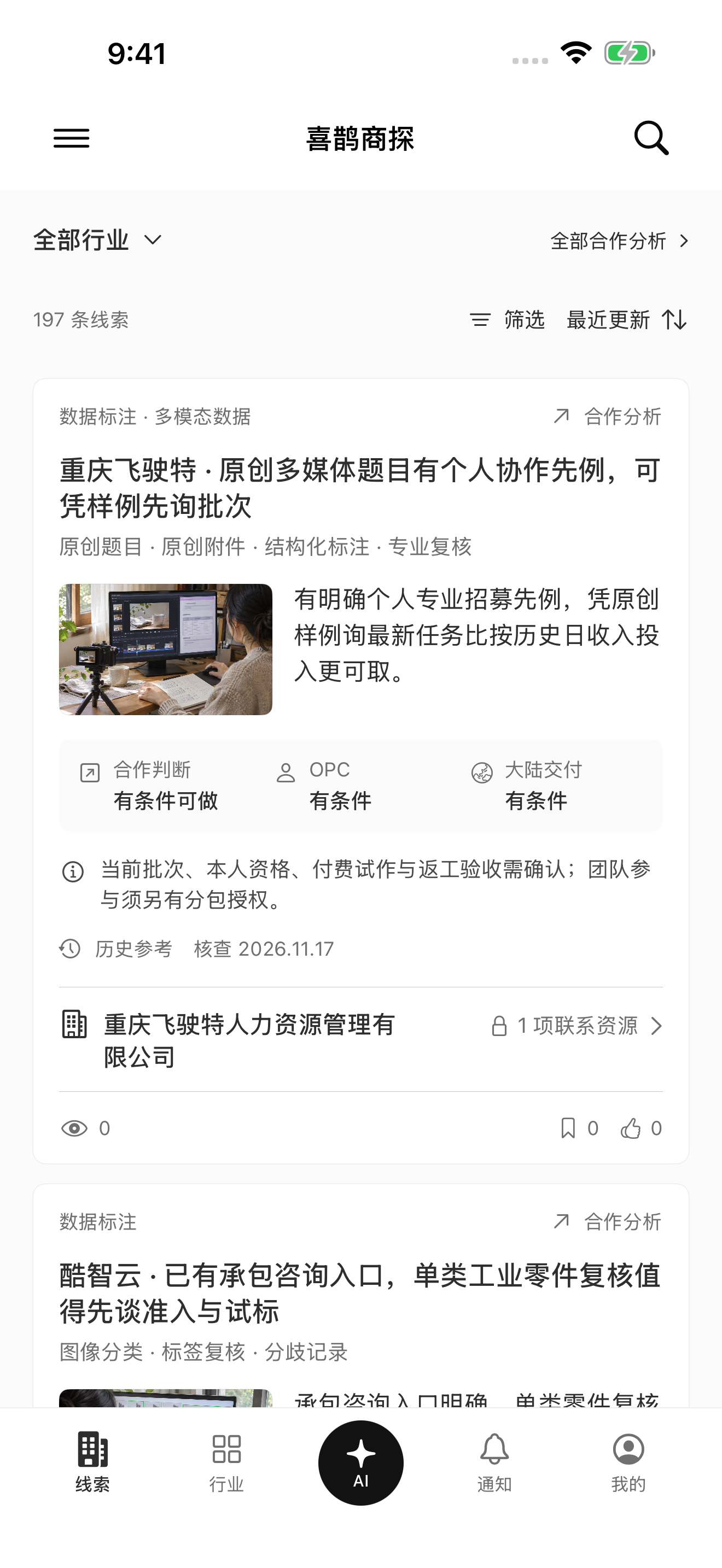
Browse industry leads and read the cooperation conditions, required capabilities and points that still need confirmation.
AI & DATA BUSINESS RESEARCH
Explore leads, understand companies, and check the evidence before you reach out. Built for independent specialists and small teams working in AI and data services.

Leads organized by industry
Company context and cooperation routes
Sources, check dates and open questions
A CLOSER LOOK
Bring the business context together before deciding which conversation is worth starting.
Browse industry leads and read the cooperation conditions, required capabilities and points that still need confirmation.
Review the company’s business, public cooperation routes and linked material before making contact.

Question the public material included in the app. Inspect source records, check dates and gaps in the available evidence.
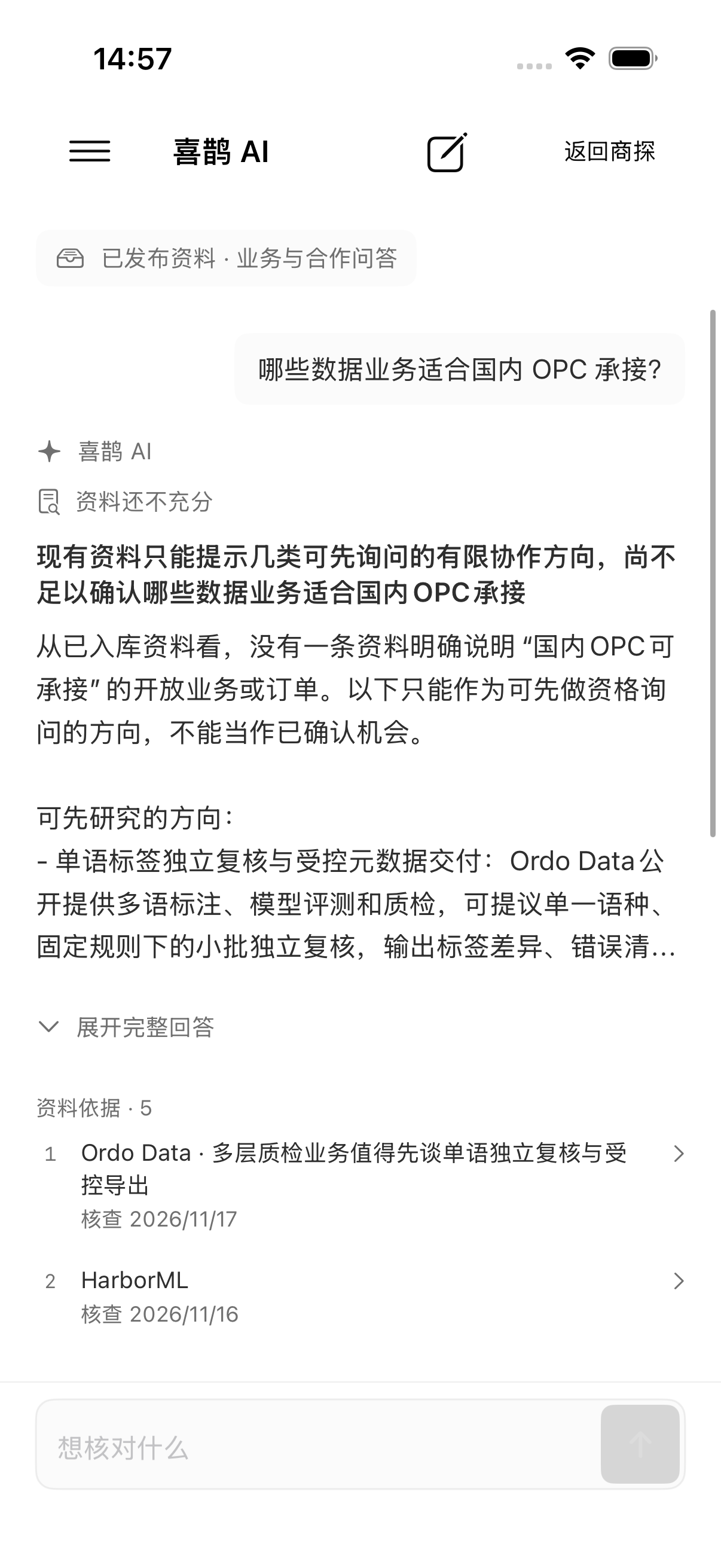
Actual app screenshots. The current interface is in Simplified Chinese; some screens show the Chinese display name 喜鹊商探. Illustrative business photographs in the app are labelled when AI generated.
YOUR RESEARCH FLOW
Start with an industry or a business lead that matches the services you can deliver.
Read the business context and distinguish public information from assumptions that need checking.
Use source records and verification dates to guide your own follow-up.
Prepare a relevant question or inquiry. MagpieHunt does not send outreach on your behalf.
AI WITH CONTEXT
The assistant works with public business material already included in MagpieHunt. It can help organize cooperation questions and explain where the available material is incomplete.
The assistant does not browse the live web or confirm orders, eligibility or commercial outcomes. AI use requires sign-in and separate processing consent.

START AT YOUR OWN PACE
Browse public material and explore the app before choosing a membership. Some detailed reports have a daily reading limit for free accounts.
Read full member research and access listed protected contact information. Not every lead includes contact information.
Available plans, local prices, renewal terms and purchase conditions are shown in the app’s App Store purchase sheet. Subscriptions are managed through your Apple account.
BEFORE YOU DOWNLOAD
Independent professionals and small teams researching potential clients or cooperation in AI and data services, including annotation, evaluation, collection and related work.
The current app interface is in Simplified Chinese. This website is available in English, Simplified Chinese and Japanese. MagpieHunt is the international product brand.
No. They are research material and possible cooperation directions. Current demand, qualifications, authorization, delivery conditions and commercial terms need to be confirmed with the relevant company.
It uses public business material already included in the app. It does not search the live web, send messages to companies or unlock protected membership material.
Sign in with Apple or an email verification code. Use the in-app restore-purchases option with the original Apple purchase account and its associated MagpieHunt account. Manage or cancel subscriptions in Apple’s subscription settings.
For account, content, subscription or privacy questions, contact support@magpiehunt.com. You can also read the support page, privacy policy and terms linked below.

Take a closer look at MagpieHunt on the App Store.
Get MagpieHunt for iOSApp interface in Simplified Chinese